Social media for business coaches and consultants
Business coach posts that bring in clients before planning season
ItsPosting knows when new-year planning, quarter starts and budget season get owners looking for advice, and posts your tips and offers before they hire someone.
- Free to start
- No credit card
- Cancel anytime
The one number to check weekly
Summit Growth Partners(512) 555-0120
Pricing for profit, next Thursday
Summit Growth Partners(512) 555-0120
A clearer plan in one session
Summit Growth Partners(512) 555-0120
Your year
Posts timed to your busy seasons
Demand for business coaching and consulting rises and falls through the year. ItsPosting plans posts a week or two before each busy stretch, so you show up when people start searching.
- Peak
- Busy
- Steady
- Quiet
Scroll sideways to see the whole year.
- JanNew-year planning, first-quarter goalsPeak demand
- FebFirst-quarter check-insSteady demand
- MarQuarter-end planningBusy demand
- AprSecond-quarter kickoffBusy demand
- MayMid-year reviewsSteady demand
- JunQuarter-end, mid-year plansBusy demand
- JulThird-quarter kickoffSteady demand
- AugFall planningBusy demand
- SepBack to business, fourth-quarter planningPeak demand
- OctYear-end pushBusy demand
- NovBudget seasonBusy demand
- DecYear-end reviews, next-year plansBusy demand
What to post
What ItsPosting posts for business coaches and consultants
A steady mix of photos, useful tips, reviews and the occasional offer. A few ideas from this month:
- One number every owner should know
- How I run a quarterly planning session
- Workshop on pricing, next Thursday
- A five-star review from a client
Example posts in Summit Growth Partners' colors
- Advice
The one number to check weekly
Summit Growth Partners(512) 555-0120
AdviceThe one number to check weekly - Workshop
Pricing for profit, next Thursday
Summit Growth Partners(512) 555-0120
WorkshopPricing for profit, next Thursday - Client result
A clearer plan in one session
Summit Growth Partners(512) 555-0120
Client resultA clearer plan in one session - Five-star review
“Clear, practical, no jargon”
Summit Growth Partners(512) 555-0120
Five-star reviewClear, practical, no jargon
How it works
Set up once. Approve in minutes.
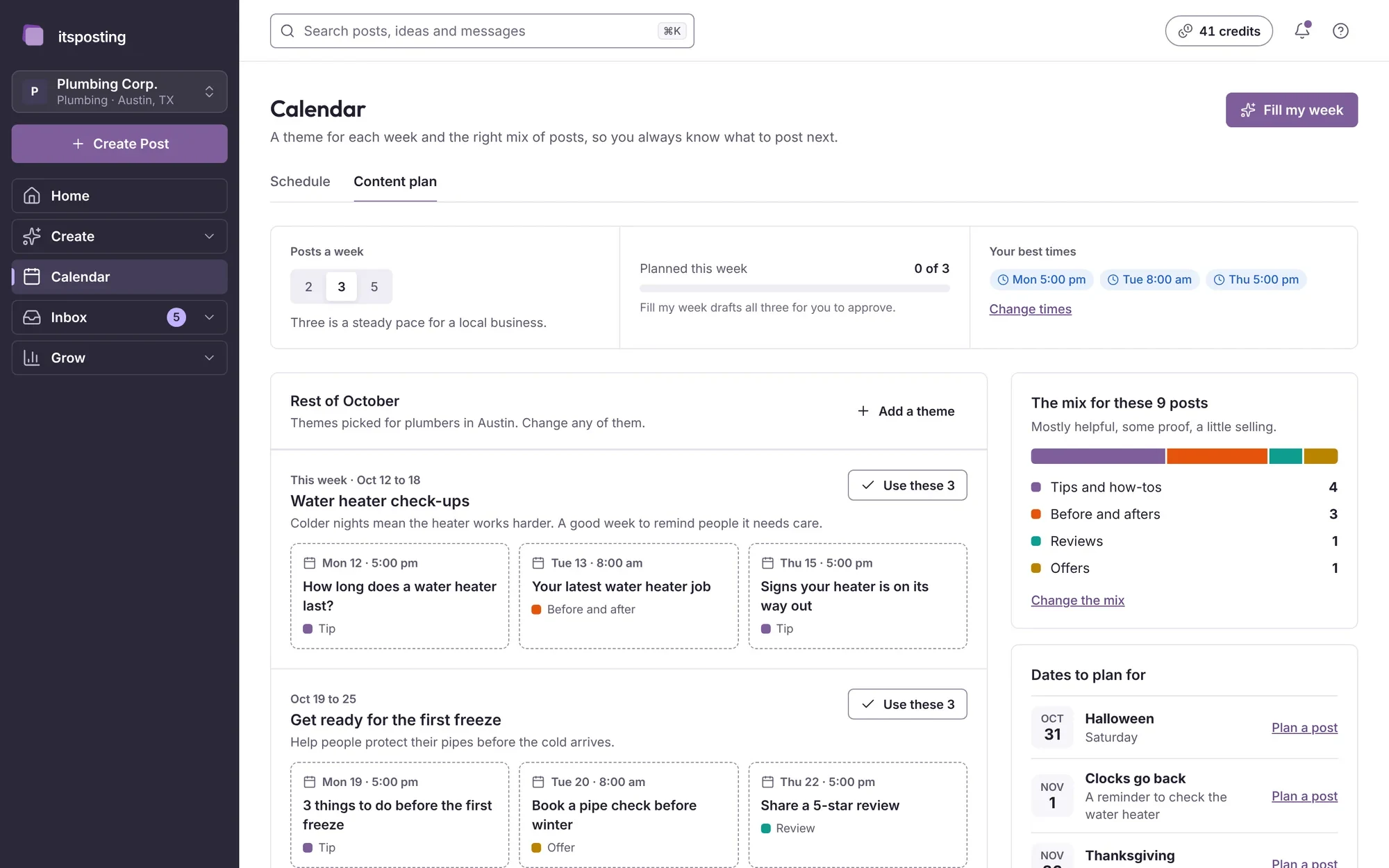
ItsPosting learns your business and your area, then has a week of business coaching posts ready for you to approve.
- Step 1
Tell us about your business
Add your website and the services you offer. ItsPosting reads your site, learns how you talk and builds a brand kit with your logo, colors and phone number.
- Step 2
Review the week's posts
Each week you get posts ready to go: the caption, the image and the best time to post. Change a word, swap a photo or approve them as they are.
- Step 3
It posts while you work
Posts go out on schedule to every account you connect. Each Monday you get a short note on what worked and what to post next.
FAQ
Questions from business coaches and consultants
Still unsure? Ask us anything and a person will reply within 24 hours.
What should a business coach post on social media?
A mix of four things works well: practical advice owners can use today, client results (with permission), workshop and webinar dates and reviews from clients. ItsPosting suggests all four and times them to your busy seasons.
Which platforms matter most for business coaches and consultants?
LinkedIn is where owners and managers look for advice, and Facebook and Instagram help you reach local small businesses. Short advice clips do well on every platform.
How often should a business coach post?
Three or four times a week is a good pace for most local businesses, with more in your busy months. ItsPosting plans that schedule and keeps it going when you're busy.
Can I use my own photos?
Yes, and they work best. Upload them from your phone and ItsPosting drops them into your branded templates, with your logo and phone number.
Can I cancel anytime?
Yes. There's no contract, and you keep access until the end of the period you've paid for.
Can ItsPosting post on LinkedIn for me?
Yes. LinkedIn is one of the five accounts ItsPosting posts to. Connect it once, and your approved posts go out on schedule.
More guides for coaches and creators
Be the advisor they call before the quarter
Start free. ItsPosting plans your first month of business coaching posts in minutes.
Free to start. No credit card. Cancel anytime.